Give AI access to tools without giving every user access to everything.
MCP tool governance helps organizations connect AI to business systems while controlling which users, projects, models, and workflows can use which tools.
Tool-connected AI risk
AI becomes more useful when it can use tools. It also becomes more sensitive. A tool call can read data, search systems, create records, update tickets, or trigger workflows. That requires access control and visibility.
MCP server registry
A registry gives administrators one place to add, test, review, and manage MCP servers instead of letting tool access spread informally.
server name and description
connection settings
available tools
owner information
status and testing results
Tool discovery
Tool discovery lets administrators understand what a server exposes before making it available to users or models.
Per-tool permissions
Permissions should be assigned by user, group, role, project, or workflow. Not every tool belongs in every conversation.
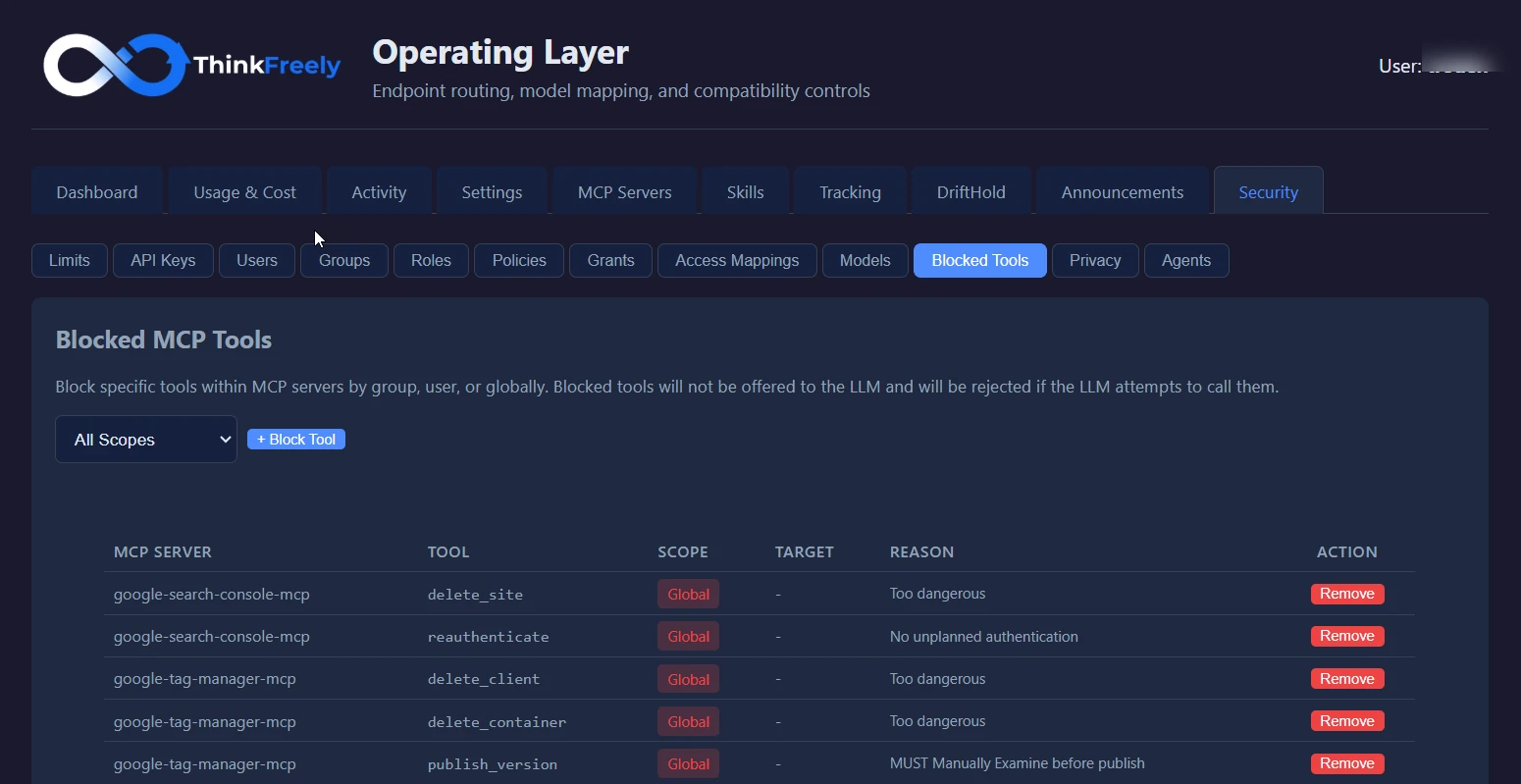
Block the tool, keep the server
Blocked tools remove a single capability without disconnecting the whole server. Permissions this specific keep useful integrations useful.
Identity propagation
Tool calls should carry appropriate identity context where supported so actions can be tied back to accountable users or workflows.
Activation modes
Tools should not always be active. Standby, command-activated, ephemeral, or model-invoked modes can reduce unnecessary exposure.
Audit visibility
Tool use should create activity records administrators can review. Tool-connected AI without logs becomes another shadow system.
Connected-tool examples
CRM lookup
Sales users may access a CRM lookup tool, while general users cannot.
Ticket creation
A support tool may create tickets only after confirmation or inside approved support workflows.
MCP review checklist
What does the tool read?
What can the tool write or change?
Which users can activate it?
Does it require identity context?
Is it always active or only available on demand?
How will tool calls be logged?
Recommended tool-governance next step
Review your MCP tool governance with us and see how tool access could be scoped to roles and workflows.
Tool-governance decisions to make
The decisions that matter most: which tools AI can reach, which users or groups can activate each tool, and what identity is passed to connected systems.
Operating checks for connected tools
Key operating checks:
which tools AI can reach
which users or groups can activate each tool
what identity is passed to connected systems
how tool calls are logged
when a tool should be standby, command-activated, or unavailable
Where this controls agentic risk
A CRM lookup tool is available only to the groups that already have permission to view the underlying records.
A high-impact action stays command-activated so the model cannot invoke it casually.